
Cost Optimization
Some hands-on tips & best-practices for optimizing cloud costs
Identifying Areas for Cost Optimization
AWS Cost Explorer & Right Sizing
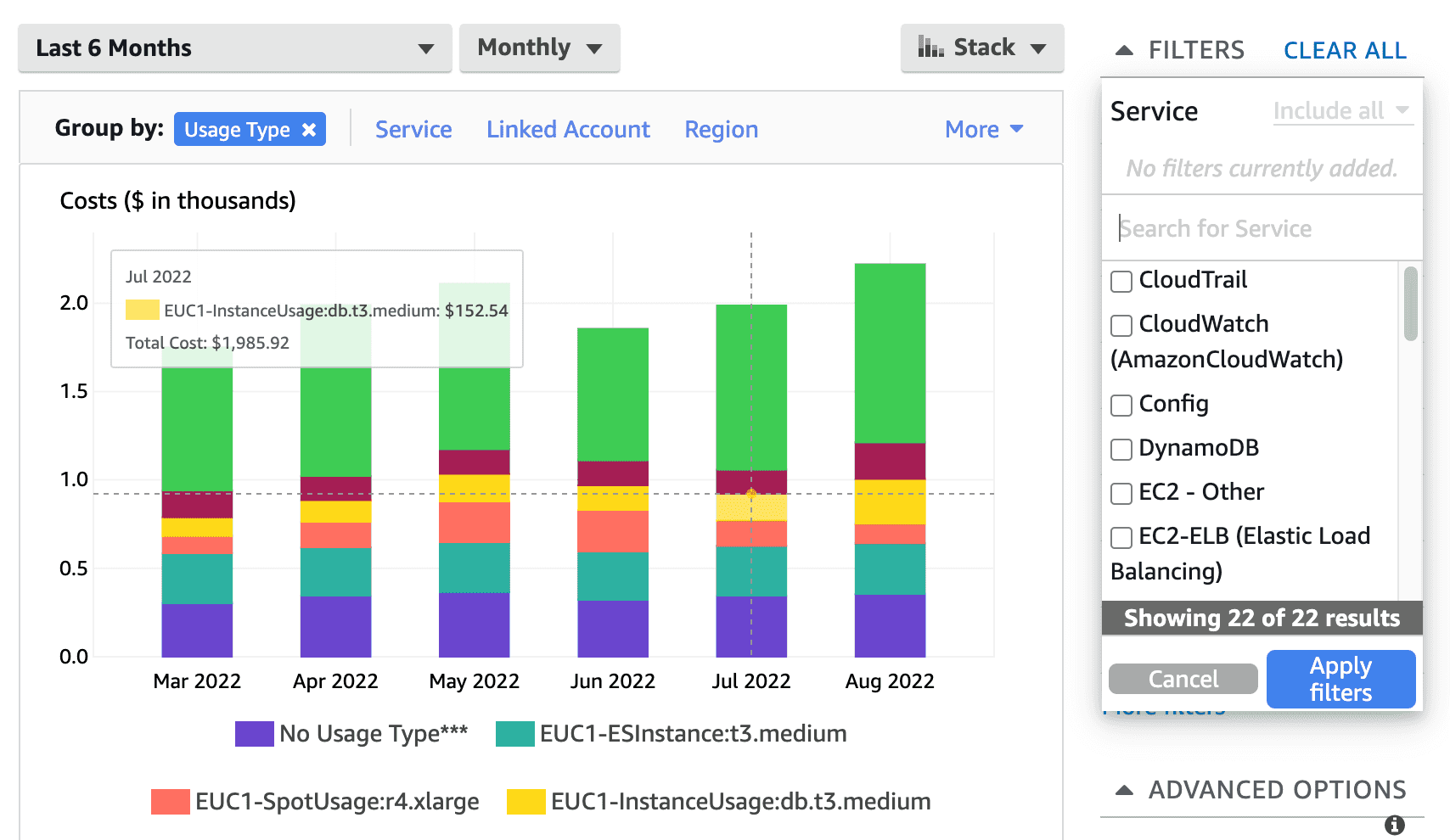
Use the AWS Cost Explorer of your domain and filter by service. To drill down further, additionally group by usage
type to identify areas to optimize.
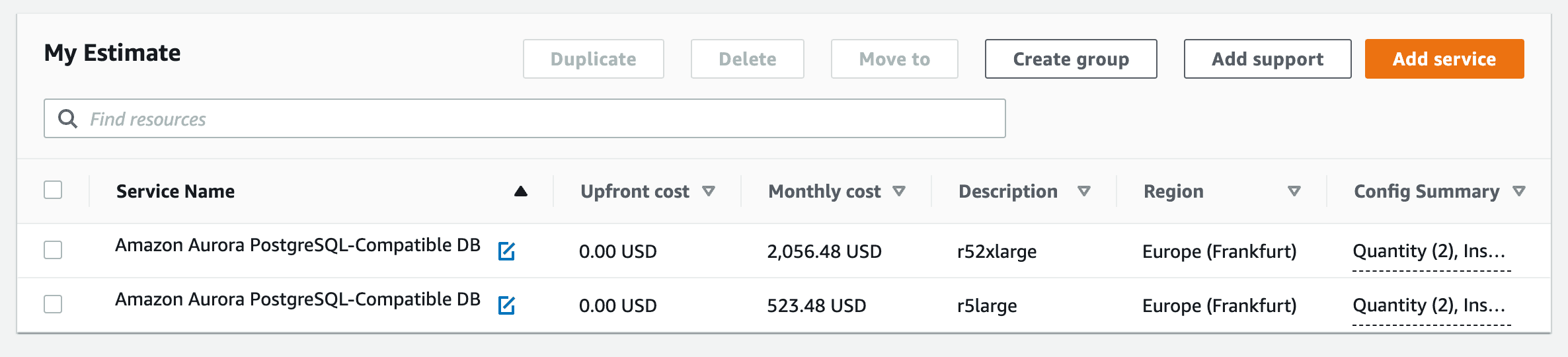
The AWS Cost Calculator can be used to compare different setups and their costs. In the following example the costs of an database scale-down are compared:
Kubernets Right Sizing
Rightsizing information is available in Grafana in every cluster at
https://grafana.eks-eu-central-1-private.<stage>.<domain>.carloop.dev/d/a87fb0d919ec0ea5f6543124e16c42a5/kubernetes-compute-resources-namespace-workloads?orgId=1&refresh=10s&var-datasource=default&var-cluster=&var-namespace=default&var-type=All
Search for the Dashboard "Kubernetes / Compute Resources / Namespace (Workloads)"
Select the default namespace
Check what are the requests vs the real usage, use a time selection which helps you to make a better decision ( e.g. at least daily, maybe weekly)
Adapt your requests in the base chart
MongoDB Atlas Database Costs
You can use the MongoDB Atlas Cost Explorer to get insights into your MongoDB Atlas database costs.
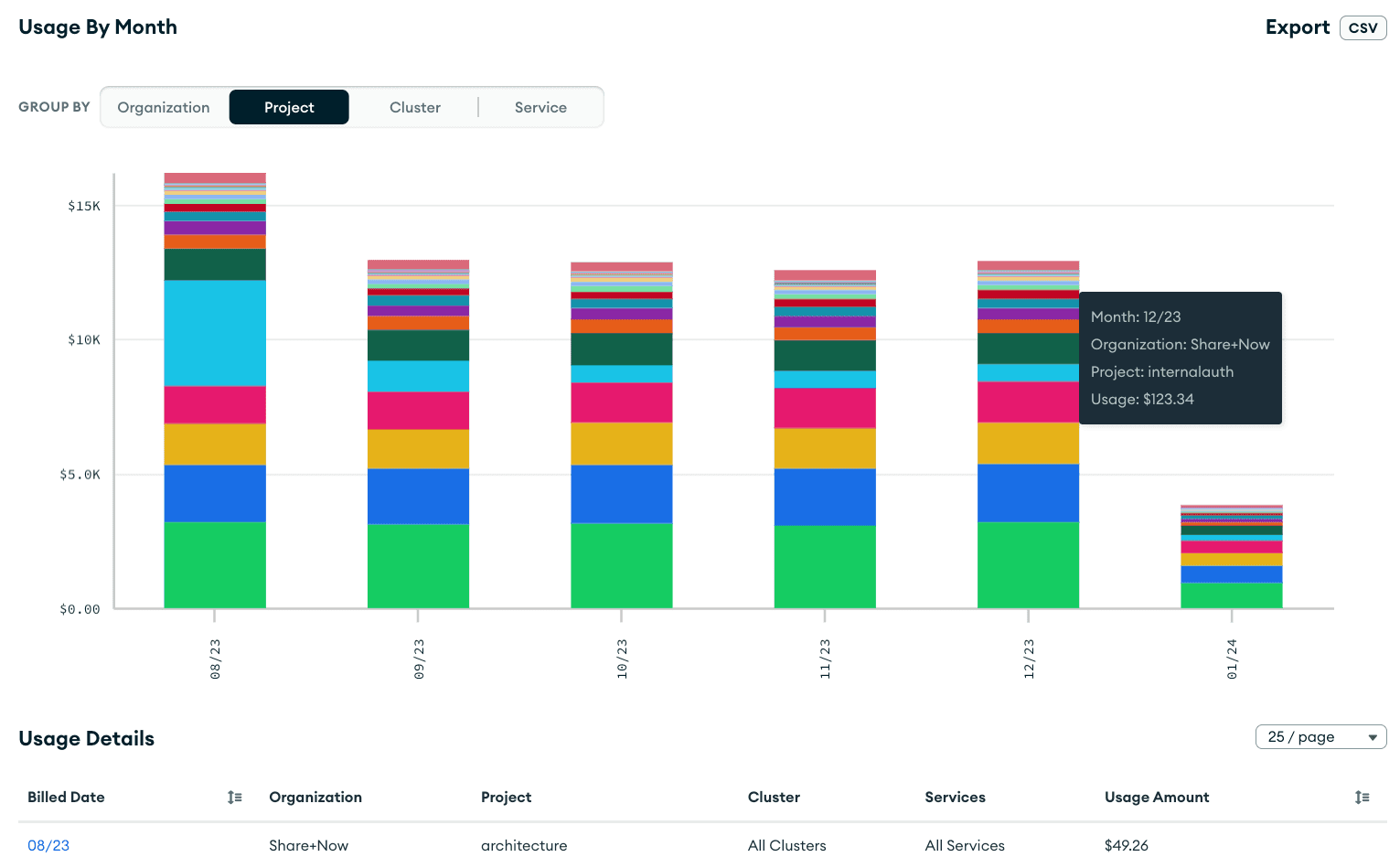
For more information see also: https://www.mongodb.com/blog/post/view-analyze-your-monthly-mongodb-atlas-usage-cost-explorer
General Best Practices
- use spot instances in Kubernetes (the default), do not use OnDemand instances
- set an AWS Budget and check it regularly
- regularly review database instance sizes
- only forward logs to elasticsearch that you actually require
- do not over-extend custom retention for elasticsearch indices
Out of Scope
The following things are out of scope for development teams, as the platform team already takes care about them:
- procure reserved instances
- use an AWS savings plan